



PERAWATAN & PEMELIHARAAN MANDIRI
PANDUAN PERAWATAN
HOMEPURE NOVA
Jaga agar HomePure Nova Anda tetap bekerja optimal dengan panduan langkah demi langkah yang sederhana ini.
PEMASANGAN
Cara Mengatur HomePure Nova Anda
HomePure Nova menghadirkan air bersih dan enak untuk diminum dan penggunaan sehari-hari. Alat ini bekerja sepenuhnya tanpa listrik, sehingga pemasangannya cepat dan mudah. Ikuti panduan sederhana ini untuk memulai.
Yang Anda butuhkan:
- Unit HomePure Nova dan suku cadangnya (termasuk dalam pembelian)
- Akses ke keran dengan air PDAM yang telah diolah sebelumnya.
PENGGANTIAN
Mengganti Suku Cadang
Bahkan komponen yang tahan lama pun bisa aus. Menggantinya memastikan air bersih, pengoperasian yang aman, dan kinerja jangka panjang. Prosesnya cepat dan sederhana!




Mengganti Kartrid Filter
Kartrid filter dirancang untuk sekitar 5.000 liter atau penggunaan reguler selama satu tahun. Ganti setelah mencapai salah satu batas tersebut atau ketika indikator menunjukkan sudah waktunya.
- Tutup katup pengalih dan lepaskan selangnya.
- Buka penutup depan dan lepaskan penutup atas serta cincin penahannya.
- Lepaskan filter lama dari adaptor kepala.
- Bersihkan wadah filter dan pasang filter baru.
- Ganti baterai dan setel ulang unit.
- Pasang kembali semuanya, sambungkan kembali pipa-pipanya, siram selama 10 menit.
Memasang Baterai Baru
HomePure Nova menggunakan baterai, jadi Anda tidak memerlukan stopkontak. Ganti baterai setahun sekali atau setiap kali Anda mengganti filter.
- Matikan unit dan lepaskan selangnya.
- Buka penutup depan dan angkat penutup atas.
- Temukan kompartemen baterai di dalam unit.
- Lepaskan kedua baterai AA lama.
- Masukkan dua baterai AA baru dengan orientasi yang benar.
- Tutup penutupnya, sambungkan kembali selang, jalankan unit untuk memastikan pengoperasian yang benar.
Mengganti Indikator LED
Indikator LED memberi tahu Anda kapan filter perlu diganti atau kapan sistem memerlukan perhatian. Jika lampu indikator berhenti menyala atau berperilaku tidak normal, gantilah filter tersebut.
- Matikan unit dan lepaskan penutup depan.
- Angkat penutup atas untuk mengakses modul LED.
- Lepaskan konektor LED dari papan sirkuit.
- Lepaskan indikator LED lama dan pasang yang baru.
- Sambungkan kembali konektor LED dengan aman.
- Pasang kembali penutupnya, nyalakan unit untuk memverifikasi lampu indikator menyala.
Mengganti Fitting Siku One-Touch
Fitting siku satu sentuhan menghubungkan selang saluran masuk ke unit. Ganti fitting ini jika Anda melihat kebocoran atau jika selang tidak lagi terkunci dengan aman.
- Matikan pasokan air dan lepaskan selang masuk dengan menekan cincin putih ke bawah.
- Lepaskan fitting siku lama dari port masuk.
- Masukkan fitting siku satu sentuhan yang baru dengan kuat ke dalam port.
- Sambungkan kembali selang saluran masuk hingga terkunci dengan aman pada tempatnya.
- Nyalakan kembali air dan periksa apakah ada kebocoran.
Mengamankan Segel dengan Penggantian O-Ring
O-ring memastikan segel kedap air di dalam unit. Ganti jika Anda melihat kebocoran, retakan, atau jika segel terasa longgar atau aus.
- Matikan pasokan air dan buka unit untuk mengakses area penyegelan.
- Lepaskan O-ring lama dengan hati-hati agar tidak menggores alur.
- Bersihkan alur dan area sekitarnya untuk menghilangkan penumpukan kotoran.
- Basahi sedikit O-ring baru dan letakkan secara merata ke dalam alur.
- Tutup dan kencangkan komponen untuk memastikan penyegelan yang tepat.
- Nyalakan kembali air dan periksa apakah ada tanda-tanda kebocoran.
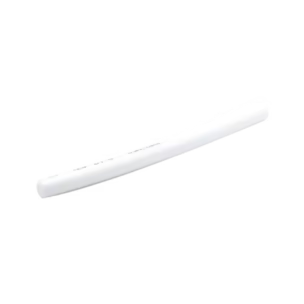
Memperbaiki Pipa Fleksibel
Pipa fleksibel mengalirkan air yang telah dimurnikan dari unit. Ganti pipa tersebut jika retak, kaku, atau bocor.
- Matikan aliran air dan lepaskan pipa fleksibel lama dengan memutarnya berlawanan arah jarum jam.
- Bersihkan area nosel untuk menghilangkan sisa-sisa kotoran.
- Sejajarkan pipa fleksibel yang baru dengan nosel.
- Putar searah jarum jam hingga terpasang dengan kencang.
- Nyalakan kembali air dan periksa aliran air serta kebocoran.
Mengganti Selang Penghubung
Selang penghubung memasok air ke unit. Ganti selang jika sudah aus, berubah warna, atau mulai bocor.
- Matikan pasokan air dan lepaskan sisa tekanan yang ada.
- Lepaskan selang dari kedua ujungnya dengan menekan konektornya.
- Lepaskan selang lama dan periksa lubang-lubangnya apakah ada kotoran.
- Pasang selang penghubung baru dengan erat pada kedua ujungnya.
- Nyalakan kembali air dan pastikan tidak ada kebocoran.
Mengganti Katup Katrid
- Matikan pasokan air dan buka unit untuk mengakses katup.
- Lepaskan selang yang terpasang pada katup katrid.
- Keluarkan katup lama dari slot atau konektornya.
- Pasang katup katrid baru dengan kuat pada posisi yang sama.
- Sambungkan kembali selang dan pastikan terkunci dengan kuat.
- Alirkan kembali air dan periksa apakah unit berfungsi lancar.
Mengganti Set Kenop
Set kenop mengatur penyesuaian dasar oleh pengguna. Ganti jika kenop menjadi longgar, retak, atau sulit diputar.
- Matikan unit dan lepaskan penutup depan untuk mengakses kenop.
- Tarik keluar set kenop lama dengan hati-hati dari porosnya.
- Periksa poros dari kotoran atau kerusakan, dan bersihkan bila perlu.
- Sejajarkan set kenop baru dengan poros.
- Tekan dengan kuat hingga terkunci di tempatnya.
- Pasang kembali penutup dan pastikan kenop berputar dengan lancar.
Mengganti Wadah Filter Tunggal
- Matikan pasokan air dan buka unit untuk mengakses wadah filter.
- Lepaskan cincin penahan dan copot wadah filter yang lama.
- Angkat filter dan periksa area sekitarnya dari kotoran.
- Masukkan filter ke dalam wadah baru dan kunci dengan cincin penahan.
- Pasang kembali unit dan pastikan wadah terpasang rata dan tertutup rapat.
- Nyalakan kembali air dan periksa apakah ada kebocoran atau aliran yang tidak normal.
Mengganti Nosel Kepala
Nosel kepala mengarahkan keluaran air akhir. Ganti atau tingkatkan jika aliran menjadi tidak rata, lemah, atau nosel menunjukkan tanda-tanda aus.
- Matikan aliran air dan lepaskan nosel kepala yang ada dengan memutar atau menariknya.
- Bersihkan dudukan nosel dari kotoran atau endapan.
- Sejajarkan nosel kepala baru dengan saluran keluar.
- Pasang dengan kuat hingga terkunci atau berbunyi klik.
- Nyalakan kembali air dan periksa apakah alirannya lancar dan merata.
Mengganti Set Adaptor Kepala
Set adaptor kepala menghubungkan katrid filter ke unit. Ganti jika menjadi longgar, aus, atau tidak lagi mengunci katrid dengan aman.
- Matikan pasokan air dan buka unit untuk mengakses adaptor kepala.
- Lepaskan cincin penahan dan copot set adaptor kepala yang lama.
- Pisahkan dari katrid filter jika masih terpasang.
- Sambungkan set adaptor kepala yang baru ke katrid.
- Pasang kembali unit dan periksa apakah katrid terkunci dengan kuat.
- Kunci di tempatnya dengan cincin penahan.
Memasang Cincin Penahan
- Matikan pasokan air dan buka unit untuk mengakses area katrid.
- Pastikan katrid dan adaptor kepala terpasang dengan benar.
- Posisikan cincin penahan di atas titik penyelarasan adaptor.
- Tekan secara merata hingga berbunyi klik atau terkunci.
- Periksa apakah katrid terpasang kuat dan tidak bergerak.
- Pasang kembali unit dan alirkan kembali air untuk memastikan semuanya stabil.
Mengganti Tutup Silikon
Tutup silikon melindungi tombol reset dan mencegah kelembapan masuk ke dalam unit. Ganti jika menjadi longgar, sobek, atau aus.
- Matikan unit dan buka penutup atas untuk mengakses tutup silikon.
- Lepaskan tutup silikon lama dari slotnya dengan perlahan.
- Periksa area sekitarnya dari debu atau kelembapan, dan lap bila perlu.
- Sejajarkan tutup silikon baru di atas tombol reset.
- Tekan dengan kuat agar tertutup rapat.
- Pasang kembali penutup dan pastikan tutup silikon terpasang dengan aman.
Memasang Katup Adaptor
Katup adaptor menghubungkan sumber air Anda ke unit. Ganti atau pasang saat melakukan peningkatan, memperbaiki kebocoran, atau meningkatkan kompatibilitas.
- Matikan pasokan air di keran atau sumber utama.
- Lepaskan konektor atau katup yang ada dari saluran air.
- Bersihkan ulir agar katup adaptor baru tertutup rapat.
- Pasang katup adaptor baru dan kencangkan dengan tangan.
- Sambungkan kembali selang atau pipa masuk ke katup adaptor.
- Nyalakan kembali air dan pastikan aliran stabil tanpa kebocoran.
Mengganti Katup Pengalih
- Matikan air di keran dan lepaskan pipa masuk dari katup pengalih.
- Buka ulir dan lepaskan katup pengalih lama dari keran.
- Periksa ulir keran dan bersihkan bila perlu.
- Pasang katup pengalih baru dan kencangkan dengan tangan.
- Sambungkan kembali pipa masuk hingga terkunci dengan kuat.
- Nyalakan kembali air dan uji fungsi pengalihan agar aliran lancar.
Mengganti Selang Instalasi
Selang instalasi mengalirkan air dari keran atau katup adaptor Anda ke unit. Ganti jika selang aus, kaku, atau bocor.
- Matikan pasokan air di keran atau katup.
- Lepaskan selang dari kedua ujungnya dengan menekan konektor atau membuka ulir sambungannya.
- Lepaskan selang lama dan periksa kedua lubang dari kotoran atau endapan.
- Pasang selang instalasi baru dengan kuat di kedua sisi.
- Pastikan setiap sambungan terkunci atau terpasang kencang.
- Nyalakan kembali air dan pastikan tidak ada kebocoran.
CARE
Bagaimana saya tahu kapan harus mengganti suku cadang HomePure Nova?

LED alerts
Lampu LED kuning atau merah, atau lampu yang tidak menyala sama sekali, dapat menandakan bahwa filter, baterai, atau PCB LED perlu diperiksa.

Reduced flow
Aliran air yang terasa lebih lemah biasanya menandakan masalah pada filter, selang, atau O-ring.

Tetesan atau kebocoran
Kelembapan di sekitar sambungan, dasar unit, atau sambungan siku biasanya berarti sudah waktunya memeriksa selang, O-ring, atau katup.
SUPPORT
Need extra help?
Jika ada langkah yang kurang jelas atau Anda melihat hal yang tidak biasa, Pusat Dukungan Global QNET siap membantu Anda.
FAQ
Frequently Asked Questions
Kapan saya harus mengganti katrid filter HomePure Nova?
Ganti katrid setelah menyaring 5.000 liter air atau setelah 12 bulan, mana yang lebih dulu tercapai.
Apakah saya perlu mengganti baterai saat mengganti filter?
Ya, setiap kali Anda mengganti katrid filter, ganti juga kedua baterai AA.


